

Welcome to iMap-GIS
(Exploration)
Designed for hikers, explorers, 4×4 adventurers, and outdoor enthusiasts, iMap-GIS makes it effortless to record your journey, document points of interest, and preserve your adventures—even when you’re far beyond cell service.
Whether you’re traversing a familiar trail or road, or forging a brand-new route, iMap-GIS captures where you’ve been, what you’ve seen, and how you got there.
~ Play the brief video ~ (Coming Soon)
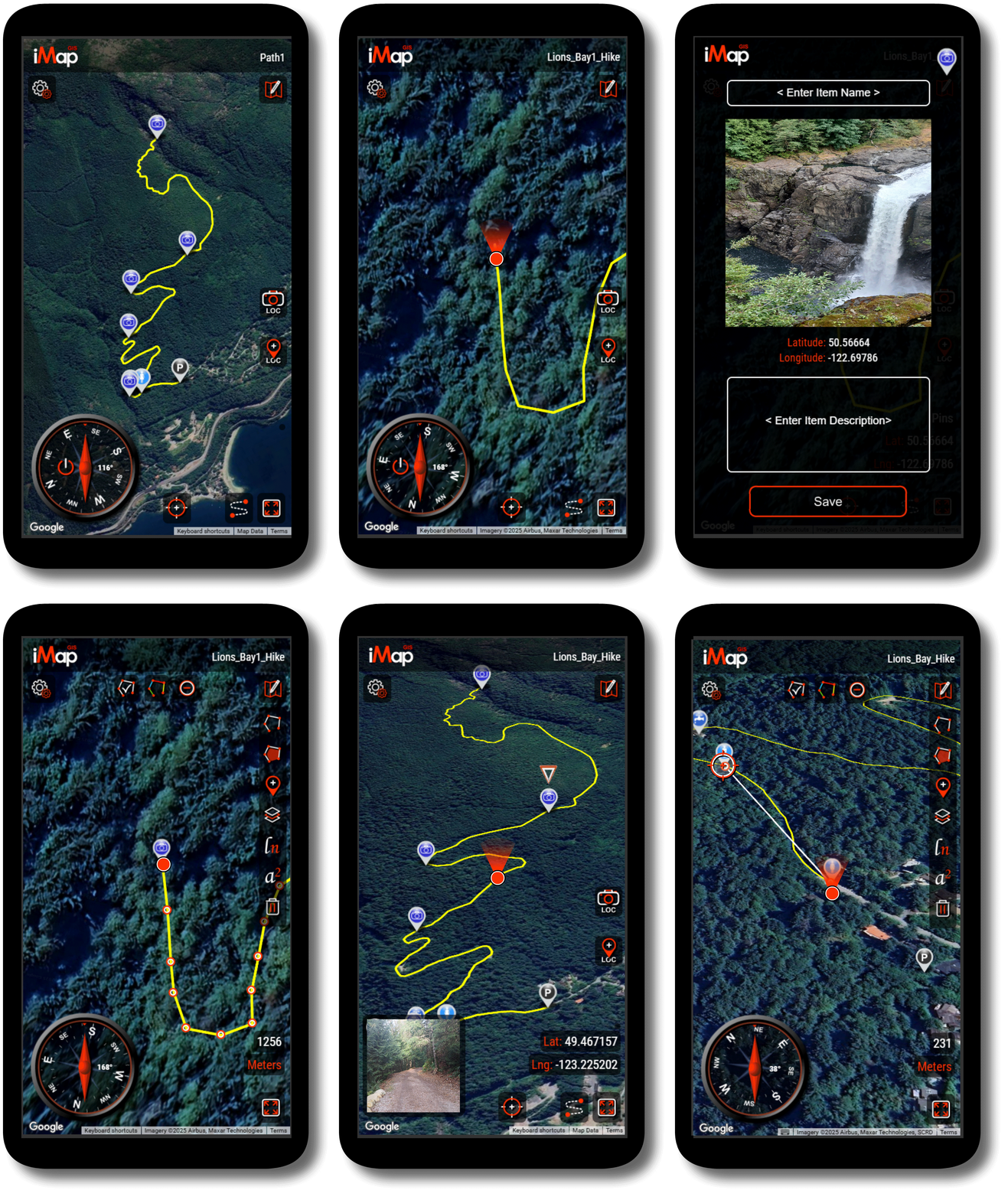
Turn Every Adventure into a Recorded Journey
With iMap-GIS, your journey becomes a breadcrumb trail that forms automatically as you move. iMap-GIS continuously records and maps your GPS location to create an accurate path of where you’ve traveled.
Each adventure can be saved as its own project, allowing you to:
-
Keep a complete history of all your journeys
-
Review distance traveled, routes taken, and locations visited
-
Revisit past adventures or share them with others
-
Edit routes and add notes or details at any time
Over time, iMap-GIS becomes a personal archive of your outdoor adventures.


Capture Moments Where They Happen
As you traverse, iMap-GIS lets you place markers anywhere, anytime—exactly where something matters.
-
Take a photo to automatically attach them to a marker that is dropped at their precise GPS location
-
Auto-drop a location marker, or place one anywhere to note a viewpoint, campsite, water source, or landmark
-
Add descriptions, notes, or observations for later reference
Each marker is tied precisely to its GPS location, turning your map into a visual story of your journey—not just a line on a screen.


Built for the Backcountry: Offline Capability
One of iMap-GIS’s most powerful features is its ability to work offline. Activate iMap-GIS when online, and when you’re deep in the wilderness with no signal, iMap-GIS continues to function normally:
-
Record your path
-
Place markers and photos
-
Draw polygons and lines
-
Save maps and projects locally on your device
When back online save to the cloud to share with your group or to publish the map.

Collaborate on Trails and Shared Adventures
iMap-GIS supports collaboration, making it ideal for group adventures, expeditions, and shared route documentation.
-
Invite contributors to add markers, notes, or photos to a shared map
-
Combine multiple journeys into a single shared route map
-
Keep personal journeys private or collaborate openly with others
This makes iMap-GIS well suited for clubs, guides, teams, and outdoor communities of all kinds.
Save, Revisit, and Share Your Maps
Every journey can be saved as a project on your device, allowing you to:
-
Organize trips by location, date, or purpose
-
Merge multiple journeys into one comprehensive map
-
Import other maps and view them together
You can also generate a protected sharing link, letting others view and interact with your map without altering it—perfect for sharing routes, trip reports, or recommendations.

Navigate with Confidence
iMap-GIS includes tools designed to support real-world navigation:
-
A live compass that rotates as you move
-
Instant distance measurement from your current location to any point on the map
-
Flexible units for measuring distance and area
Together, these tools help you stay oriented and informed throughout your adventure.
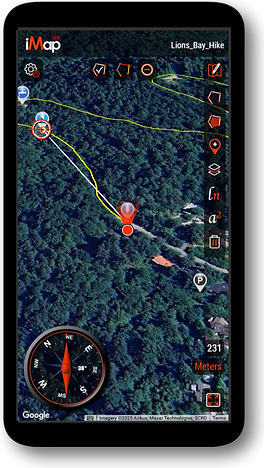
Designed for the Way You Explore
Unlike traditional mapping apps, iMap-GIS is optimized for clarity, usability, and mobile performance. The interface prioritizes map visibility and ease of interaction, making it ideal for use in the field, where quick decisions matter.
iMap-GIS isn’t just about where you’re going—it’s about recording the experience, preserving memories, and sharing meaningful routes with others.